Installing and Using Ferrocene
What’s in the box?
rustc- a compiler (★)lld- the LLVM linker (★)rustdoc- the docs generator
cargo/rustfmt/clippy- our usual friendsllvm-tools- objcopy, size, etcrust-analyzer- for IDE integrationrust-src- libstd source coderust-std-xxx- precompiled standard libraries (☆)ferrocene-self-test- checks your installationferrocene-docs-xxx- documentation
★: qualified tool ☆: certified subset available
Note:
The lld linker and rustdoc come with the rustc-${rustc-host} package.
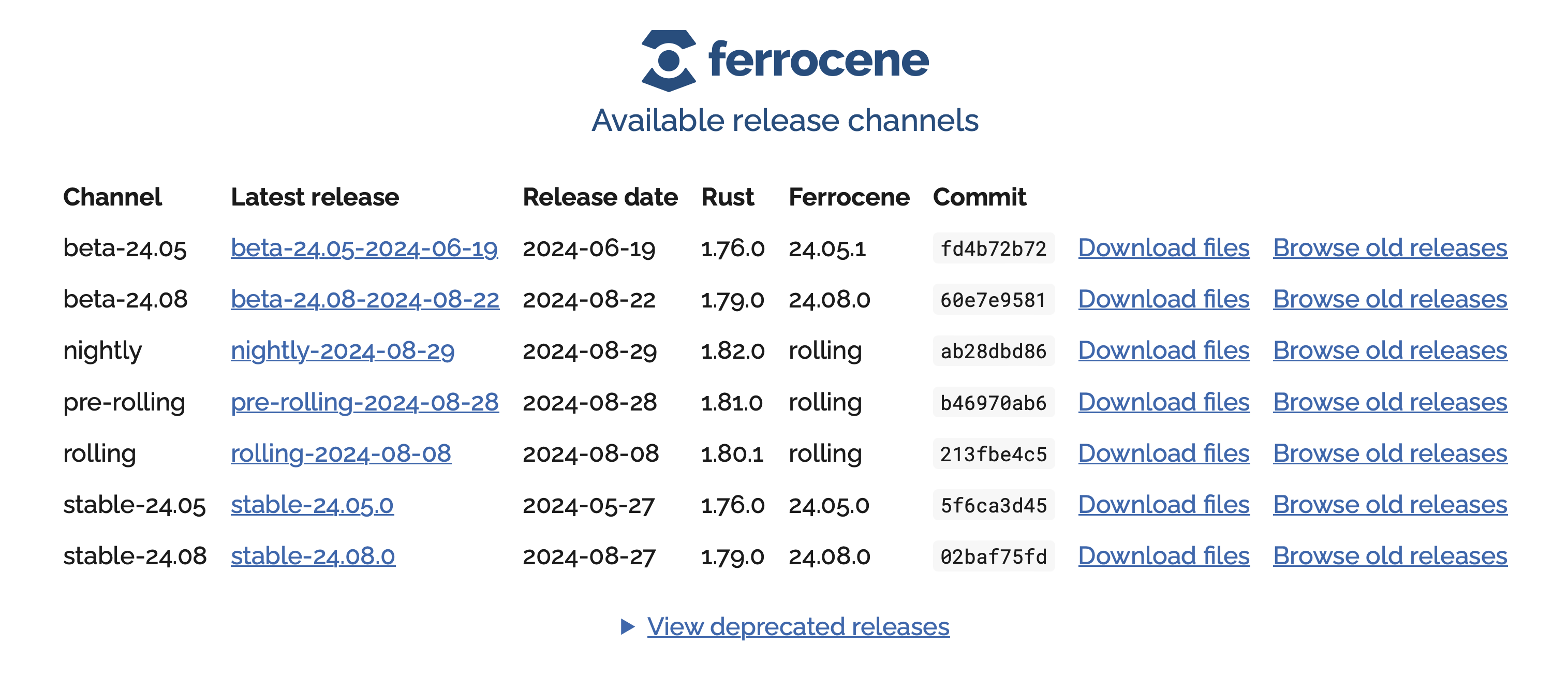
https://releases.ferrocene.dev
Note:
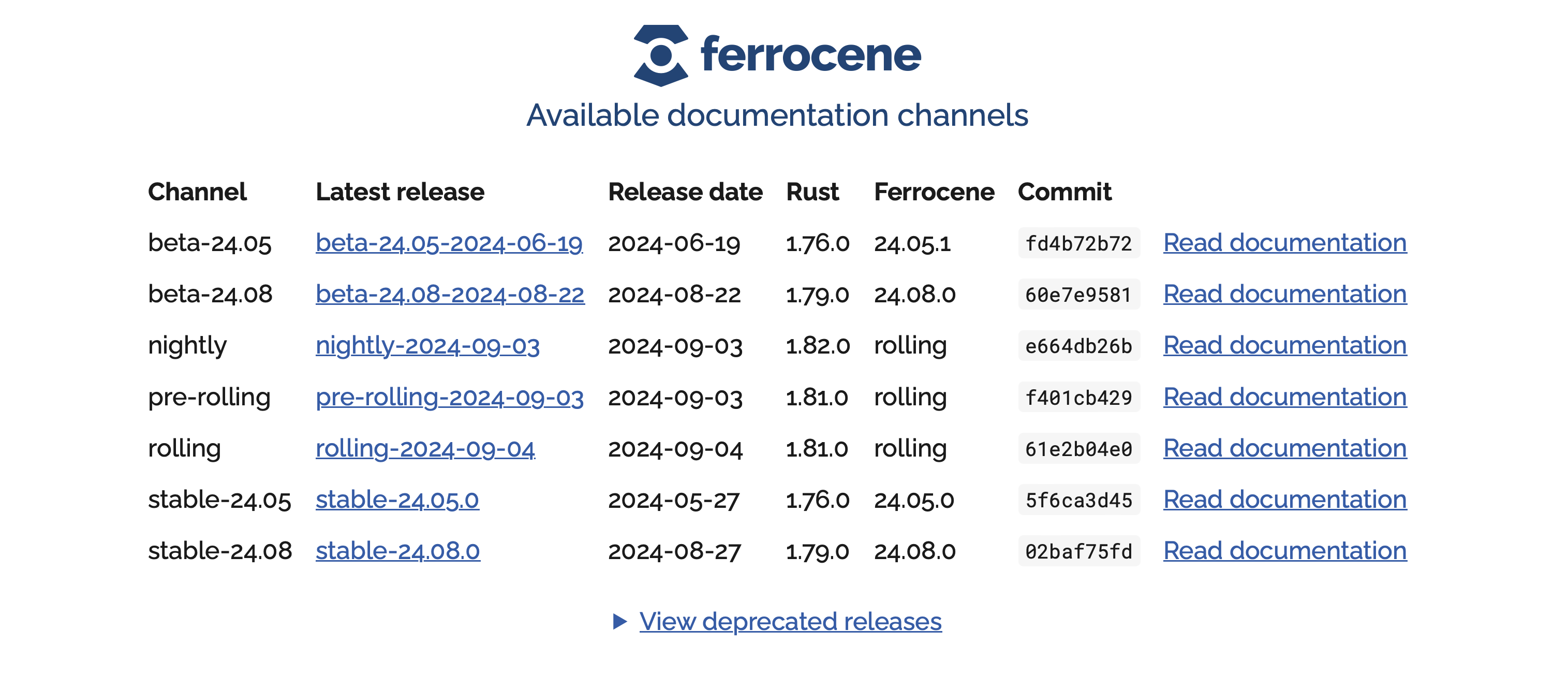
channels contain releases
Examples of channels include:
- nightly
- pre-rolling
- rolling
- beta-26.05
- stable-26.02
- etc
Examples of releases include:
- nightly-2026-07-16
- pre-rolling-2026-07-03
- rolling-2026-07-15
- beta-26.05-2026-07-12
- stable-26.02.0
- etc
See https://public-docs.ferrocene.dev/main/qualification/plan/release.html for details about our release channels.
Targets
We have two dimensions:
- Qualified, or not
- Host or Cross-compiled
Qualified Targets
- Production Ready
- Passes the Rust Test Suite
- Support is available
- Signed qualification material
- stable channel only
Note:
Each release has a User Manual and it is important to follow the instructions for that target in that release otherwise you may be outside the qualification scope. As an example, we don’t let you give arbitrary arguments to the linker - you can only pass the arguments we say are OK.
Quality Managed (QM) Targets
Quality managed targets are targets which are suitable for use in production outside of safety critical contexts.
- Production Ready
- Passes the Rust Test Suite
- Support is available
Note:
Talk to us if you would like a QM Target available as a Qualified Target.
Supported Targets
Supported targets are targets which are suitable for use outside of safety-critical contexts, and may be suitable for production given adequate user testing.
- Maybe Production Ready
- Low-priority support is available
- Maybe passed the Rust Test Suite
Note:
Talk to us if you would like a Supported Target available as a QM or Qualified Target.
Experimental Targets
- Not Production Ready
- Not qualified
- Might not pass the test suite
- But useful for getting started early
Note:
A Ferrocene ‘Experimental Target’ is broadly equivalent to an upstream Tier 2 or Tier 1 target, depending on whether we’re running the Test Suite in CI.
Host Targets
- Ferrocene runs on a limited number of hosts:
- Ferrocene is installed with
criticalup- It’s also open-source
- Or, you can install a specific Ferrocene release from tarballs
- Hosts always compile for themselves (proc-macros,
build.rs, etc)
Cross-Compilation Targets
- Compiling for a machine that is not the current host
- The list of targets may change from release to release
- See the public docs
- Or the customer portal
Using criticalup
- Our equivalent of
rustup - Fetches the appropriate Ferrocene toolchain packages
- Packages are signed with
criticaltrust
- Packages are signed with
- Need a
criticalup.tomlfile for each project, and a global login token- Token only required to download a toolchain
- You can burn the toolchain to a CD-R if you want
criticalup.toml
manifest-version = 1

[products.ferrocene]
release = "stable-26.05.0"
packages = [
  "rustc-${rustc-host}", "rust-std-${rustc-host}", "cargo-${rustc-host}",
  "rust-src", "rust-std-aarch64-unknown-none"
]
Installing Ferrocene
- Install criticalup
- Make a token
- Store your token with
criticalup auth set - Go to your project dir
- Run
criticalup install
Example
$ criticalup auth set
$ criticalup install
info: installing product 'ferrocene' (stable-26.02.0)
info: downloading component 'cargo-x86_64-unknown-linux-gnu' for 'ferrocene' (stable-26.02.0)
...
info: downloading component 'rustc-x86_64-unknown-linux-gnu' for 'ferrocene' (stable-26.02.0)
info: installing component 'rustc-x86_64-unknown-linux-gnu' for 'ferrocene' (stable-26.02.0)
$ criticalup run rustc --version
Local State
Criticalup maintains local state in one of the following locations:
- Linux:
~/.local/share/criticalup - macOS:
~/Library/Application Support/criticalup - Windows:
%APPDATA%\criticalup
Running Ferrocene
You can execute the tool directly from the install dir
$ criticalup which rustc
/home/user/.local/criticalup/toolchains/cbfe2b...21e8b/bin/rustc

$ /home/user/.local/criticalup/toolchains/cbfe2b...21e8b/bin/rustc --version
rustc 1.79.0 (02baf75fd 2024-08-23) (Ferrocene by Ferrous Systems)
NB: cargo uses whichever rustc is in your PATH.
You can use the tool proxies:
$ ls /home/user/.local/criticalup/bin
cargo       rust-gdb    rust-gdbgui rust-lldb   rustc       rustdoc

$ /home/user/.local/criticalup/bin/rustc --version
rustc 1.79.0 (02baf75fd 2024-08-23) (Ferrocene by Ferrous Systems)
NB: cargo uses the corresponding rustc
You can use criticalup as a proxy:
$ criticalup run rustc --version
rustc 1.79.0 (02baf75fd 2024-08-23) (Ferrocene by Ferrous Systems)
NB: cargo uses the corresponding rustc
rust-analyzer in VS Code
VS Code uses rustup, so tell rustup to use criticalup:
$ criticalup link create
$ rustup override set ferrocene
$ code .
Ensure you have the rust-src package installed.
Our Rust Training has both 32-bit and 64-bit Arm bare-metal examples:
https://github.com/ferrous-systems/rust-training/tree/main/example-code